Mandates and properties
Office, retail, investment - the right fields, features and pictures per mandate type. With responsibility per office.
Mandatfeed is the working environment for commercial and investment brokers in Switzerland: capture properties and get them onto the portals, manage enquiries and prospects, match search profiles, keep viewings and to-dos under control, file documents, report to the owner - with an AI that suggests and an office that sees the same without reloading. In the browser, for the whole office, with data in Switzerland.
This is what it looks like once you are signed in: real screens of the test broker Alpenblick with made-up data - one picture per feature. Use the arrows to browse, or swipe on your phone.
Office, retail, investment - the right fields, features and pictures per mandate type. With responsibility per office.
Owners, tenants, investors: one contact, all relations - which properties, which search profiles, which conversations.
Retail premises with brand, tenant, owner, floor space and shop front - the register for retail, with pictures and on the map.
Who is looking for what, where, from when - and which property fits. Matching suggests, you decide.
What the property portals send by mail appears as an enquiry on the property - with reply, exposé and prospect in one go.
The exposé as a PDF with pictures and texts in the recipient’s language - sent by mail from the application and noted on the prospect.
Appointments at the property with prospect and responsible person; the invitation goes out as a calendar entry, the day is on the dashboard.
The note with a date - on an address, a mandate or a search profile. What is due today is on the dashboard and in the morning mail.
Every mandate has a phase - from acquisition to closed -, a responsible person and a commission. The state of the firm at a glance.
The report to the owner as a PDF: enquiries, viewings, price history and your assessment - filed or sent right away.
Listing texts in four languages, classifying and answering enquiries, a to-do from a phone note, a second opinion on duplicates. The AI suggests, you decide.
Contracts, plans, correspondence at the contact or the property - filed where you will look for them later.
Newsletters from building blocks with property cards to your mailing lists; mail merges from your own Word template.
Send properties to real-estate portals via SwissRETS - one tick per property, no second entry.
Retail list as Word and PDF, lists as Excel - your data is yours, at any time.
Properties on the map, coordinates derived from the address automatically - and search profiles with a radius around a place.
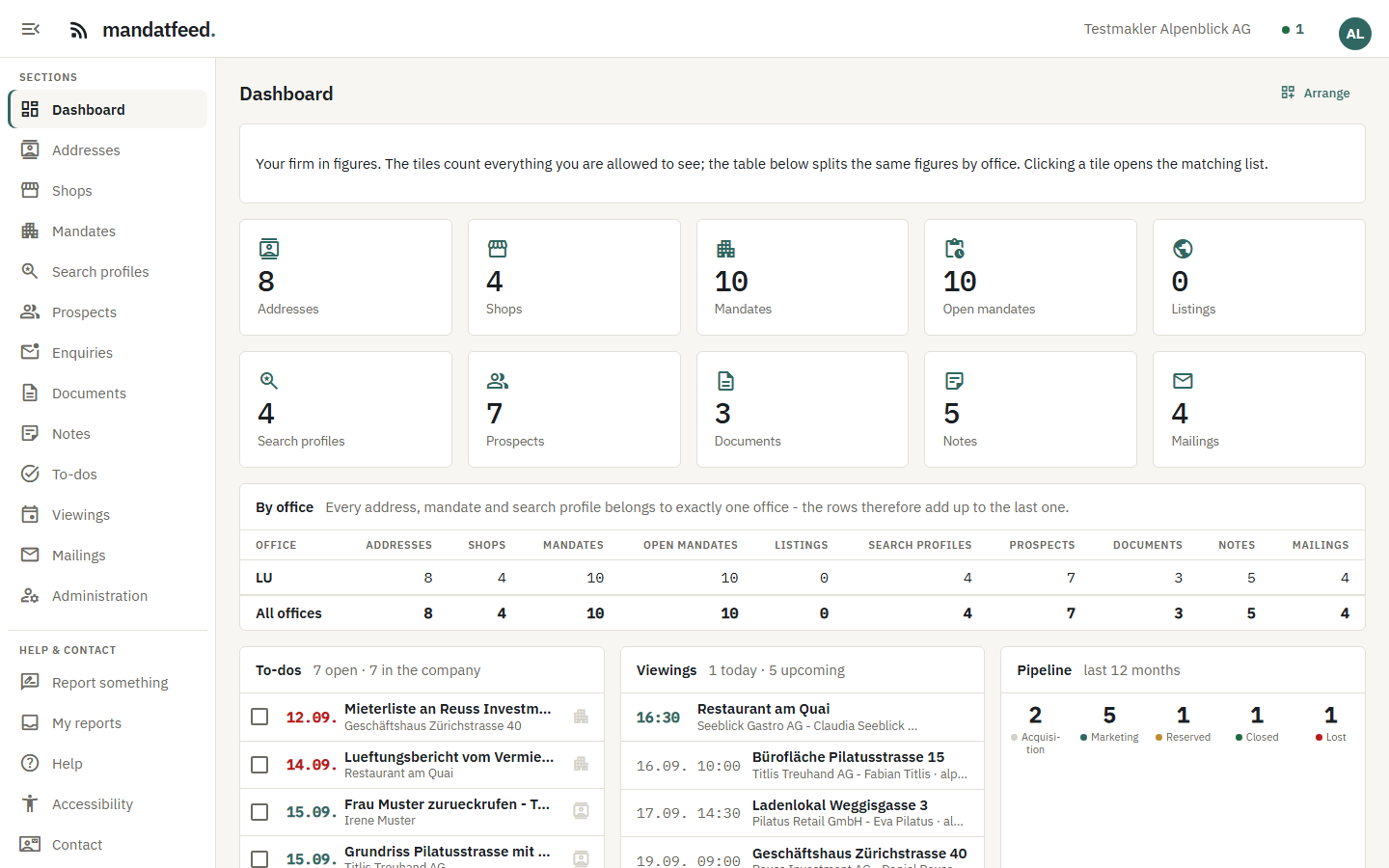
Figures per office, what is due, what is missing, who has had no contact for a long time - each person arranges the blocks the way they work.
What someone changes, everyone sees immediately. Whoever has a form open locks it for the others - and every change is in the history.
Addresses, mandates and search profiles that might be the same are ready for review. Merge with undo - nothing happens by itself.
Roles built from individual permissions, offices with their own branding, second factor at sign-in. Each person sees what they are meant to see.
German, French, Italian, English - every screen, every help page, every e-mail. Each person in their language.
Nothing to install - or as an app on the home screen. At the desk, on the tablet, on the phone in front of the property.
One price per user and month, no packages. A free trial with everything first.
Mandatfeed is developed and operated by IT Hub GmbH in Zürich. A Swiss provider you reach directly - no hotline, no middleman.
For brokerages in the commercial and investment segment in Switzerland - retail spaces, offices, investment properties - from the sole broker to the firm with several offices. Residential brokers can use it too; the fields and reports, however, are built for commercial work.
Contacts, mandates, search profiles and documents can be imported from Excel or your current software. We help with the move - it is part of the price. And you get everything back at any time: export to Excel, CSV, PDF, also after the end.
On servers in Switzerland, operated by IT Hub GmbH in Zurich. Every firm is strictly separated - its own address, its own users, its own data. No detour through foreign networks.
One price per user and month, everything included - contacts, mandates, search profiles, documents, reports, newsletters, feeds to the portals. No modules, no minimum term, cancel monthly. The trial is free, no credit card; the current price is on the pricing page.
Via SwissRETS, the Swiss standard for property listings. Mandatfeed provides a document per feed that the portals fetch - Homegate and ImmoScout24 via CASAGATEWAY, Fundort directly, and any other portal that reads SwissRETS. You decide per property whether and into which feed it goes; nothing leaves by itself.
No. Mandatfeed runs in the browser - at the desk, on the tablet, on the phone in front of the property. Sign in and work; updates arrive by themselves.
Whether Mandatfeed fits your office, whether a feature is missing, how the switch works - write to us. We usually reply the same working day.
Confirm your e-mail address, choose company and address, set a password - and you are working. Nobody has to activate anything.